













To view your order history, on any page in the top right of the main navigation, select the Account icon to go to your Account page. There, you will see your Order History at the top of the page.
GLP-1
A balanced diet is essential to your weight management journey while using GLP-1 medications like Ozempic®, Mounjaro®, or Wegovy®. Our dietitian-curated collection includes pre-portioned, calorie-conscious meals that are delicious, high in fiber, low in saturated fat, free of cholesterol, and have no added sugars.
Plant-Based Whole30
Dietitian-curated. Variety-packed. Designed exclusively for you. Our Plant-based Whole30® compatible curation of nourishing Harvest Bowls and Smoothies makes your food journey easy-breezy (and delicious). We got you. You got this.
High Protein
Power your day with our high-protein collection, featuring smoothies with at least 10 grams of protein per serving. Made with nutrient-dense fruits and vegetables, these blends support muscle recovery, keep you satisfied, and fuel your active lifestyle. Whether you're recharging after a workout or enjoying a nourishing snack, these smoothies offer the perfect balance of flavor and function.
High Fiber
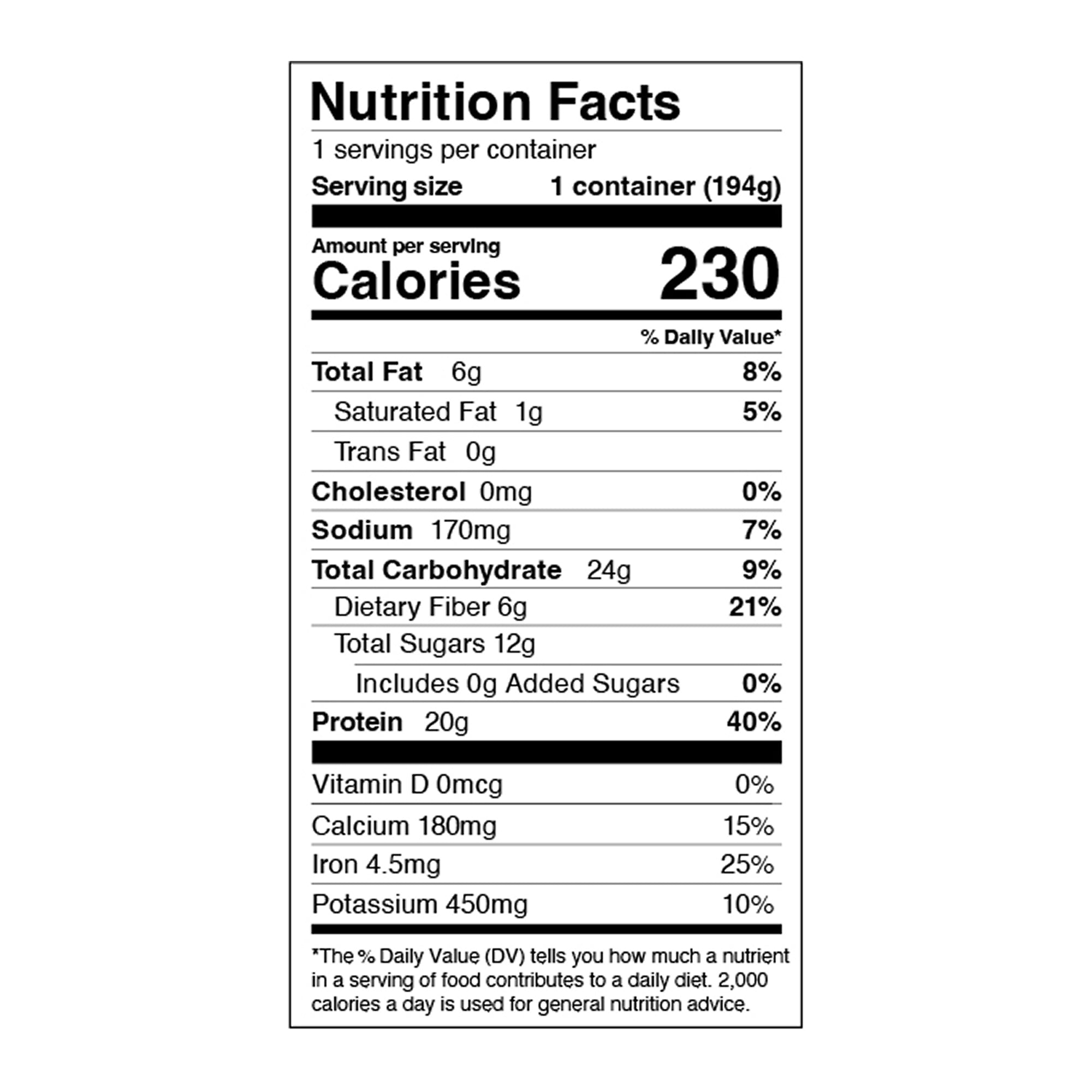
Packed with at least 6g of fiber per serving, this collection features nutrient-rich fruits and vegetables to support gut health, sustain energy, and curb cravings. Whether you need a satisfying snack or a wholesome meal boost, these fiber-filled blends deliver the perfect balance of taste and nutrition.
All items on this page have at least 6g of fiber per serving — or at least 21% of the recommended daily value.
FAQ
How do I view my order history?
How do I apply my store credit?
On the homepage while logged in, scroll down to the "Delivery & Payment" section. If you have a store credit balance and store credit is currently not applied to your account, you will see an "Apply" button. Click the "Apply" button and your store credit will be applied to your next order.
Store credit will be applied to all of your future orders as long as you have store credit balance greater than $0.
I have a subscription. How do I un-skip a delivery?
You can un-skip a delivery by clicking "Change Date" under the "Next Delivery" section of the homepage. Here you can choose to delay your shipment by a week, un-skip an order, or choose a specific date of delivery.
How do I update or change my payment method?
To update your phone number or email address, log in to your account. In the Customer Profile Banner at the top right of homepage, select Manage Subscription to toggle to the Manage Subscription page.
There, you will see a "Payment method" section. Click the pencil icon within the section and then click the "SEND EMAIL TO UPDATE" button. An email will be sent to the email address associated with your account from which you can update your payment method.
More collections
Nutrient-dense meals that fit your life… schedule… goals… budget… dietary needs.


